
Winter Maintenance Guide for DTF, UV, Sublimation and Eco-Solvent Printer
Author : KingJet
2025-11-24
Table of Contents
The Impact of Winter Environment on Printers
The low temperatures and dryness of winter pose several challenges to the operation of digital printers:
Temperature and Humidity: Low temperatures increase ink viscosity, making printheads more prone to clogging; dry air leads to static electricity and paper curling.
Printheads: Printheads are more prone to clogging at low temperatures, and frequent cleaning shortens their lifespan.
Dust Prevention and Cleaning: Dust accumulates quickly in heated environments, affecting paper feed and color stability.
Ink Path: Ink may deposit or freeze in the tubing, especially for printers using mild solvents. Anti-static Electricity: Static electricity can damage electronic components and may also cause paper feed deviation.
In short, the core issues in winter are low temperature, dryness, and static electricity. You need to ensure equipment stability through temperature and humidity control, regular cleaning, and anti-static measures.
Winter Maintenance of DTF Printer (Direct-to-Film Printer)

Temperature & Humidity Control
1. Keep the indoor temperature at 15~35°C to avoid too low or too high to affect the printing effect.
2. Keep the indoor humidity between 50%~70% to avoid insufficient flow of ink due to drying.
Sprinkler Maintenance
1. Do a cleaning before shutting down, and print the test strip to confirm that the printhead is in normal condition.
2. If you do not use it for a long time, please clamp the inktube under the ink stack cap with a clip, and drop some cleaning solution into the ink stack cap to ensure that the surface of the nozzle is moist and not dry.
Dust & Cleaning
1. Clean the internal and external parts of the printer regularly to avoid the effects of dust on the machine.
2. Use a clean cloth or paper towel to wipe down the sprinkler head and other critical parts.
Winter Maintenance of UV Printer

Warmth & Humidification
1. The printer must be installed in a room with air conditioning and other warm equipment, turned on in advance, and the indoor temperature must be kept at 20~28 °C before it can be turned on. After the temperature of the printhead is normal, the ink head is pressed and cleaned, and the temperature of the secondary ink cartridge can be printed when it reaches 40°C or more.
2. Keep the indoor humidity between 50%~70% to avoid printing problems such as printing flying ink, broken ink, and uneven color registration caused by indoor drying.
Ink Channel & Printhead Maintenance
1. Turn on the printer at least once a day to allow the printer to warm up on its own and automatically wash the printhead to prevent blockages caused by ink droplets staying on the printhead for a long time.
2. Replace the UV lamp filter regularly to avoid filter clogging and affecting the printing effect.
Equipment Maintenance
1. Please be sure to replace the antifreeze in the LED water cooling box and keep the liquid level normal to prevent the water pipe from freezing and affecting the printing effect.
2. Regularly inspect the ground wire to ensure that it is safely grounded to avoid the impact of static electricity on the machine.
Winter Maintenance of Sublimation Printer
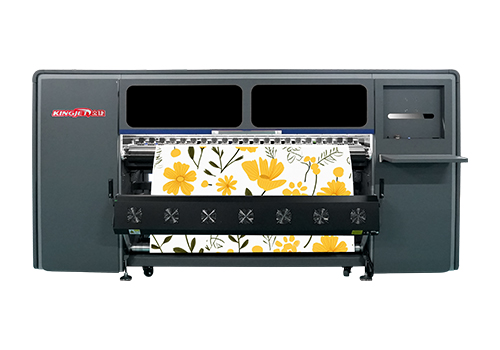
Temperature Control
1. Make sure that the indoor temperature is not lower than 15 ° C to avoid the printer ink from freezing due to being too low.
Humidity & Dust Resistance
1. Keep the indoor humidity between 50%~70% to avoid insufficient flow of ink due to drying.
2. Clean the printer regularly to avoid the impact of dust on the printing results.
Sprinkler & Ink Channel Maintenance
1. Check the status of the nozzle regularly and perform a cleaning operation if there is any blockage.
2. Make sure the ink path is unobstructed to avoid low ink supply or clogging issues.
Winter Maintenance of Eco-Solvent Printer
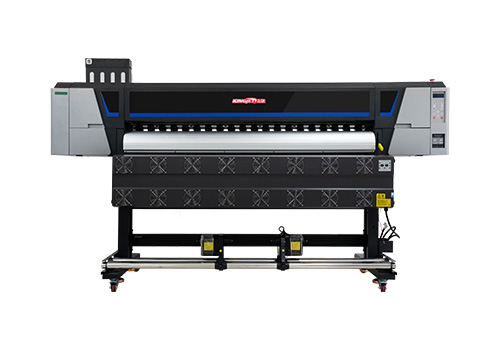
Ink Channel Maintenance
1. Due to the co-solvent ink has a certain volatility. It is easy to plug in if not used for a long time. Therefore, before shutting down, please make sure to drip a special cleaning solution into the ink stack, do a cleaning, and then print a test strip to ensure that the printhead is in normal condition.
2. If the machine is out of service for a long time, such as more than 3 days, please clamp the ink tube under the ink stack cap with a clip, and drip some cleaning solution into the ink stack cap to keep the surface of the nozzle moist and not dry.
Temperature Control
1. Try to keep the indoor temperature above 15 °C to avoid the printer ink from freezing due to too low a temperature, causing the print head to be blocked.
2. The working environment temperature of the printer should generally be between 20~24 ° C to maintain the normal circulation of ink.
Dustproof & Anti-Static
1. To do a good job of dustproofing the machine, you can install a dust cover to avoid the impact of dust on the machine.
2. Use anti-static printing paper and regularly use an electrostatic brush to clean dust from the crevices of the printer.
General Winter Maintenance Tips for All Types of Printers
Regardless of the printer you use, the following general tips will help you:
Environmental Control: Maintain a temperature of 18–25℃ and humidity of 40–60%.
Consumables Management: Keep ink, paper, and film away from direct sunlight and extreme temperatures.
Anti-static Measures: Use anti-static mats to prevent damage to electronic components.
Regular Inspections: Establish a winter maintenance schedule and check the equipment status weekly.
Conclusion
Winter maintenance is not an extra burden, but an important investment to ensure equipment reliability and print quality.
Through scientific environmental control, precise model-specific maintenance, and standardized operating procedures, you can reduce equipment failure rates by more than 60%, save over 30% on annual maintenance costs, and ensure that every printer maintains optimal working conditions throughout the winter.
To learn more about winter maintenance tips for printers, consult the professional KingJet team with 18 years of experience in the printer industry. We will provide you with exclusive services. Contact Us Now
FAQ
Why are printheads more prone to clogging in winter?
Why are printheads more prone to clogging in winter? Low temperatures increase ink viscosity and reduce fluidity, leading to uneven printhead ejection or clogging. It is recommended to maintain a stable room temperature in winter and perform regular printhead cleaning.
Do UV printer lamps require special inspection in winter?
Yes. Temperature differences can cause lamp cracks or cooling system malfunctions, affecting curing results. It is recommended that you check the lamps and cooling fan regularly.
How to resolve color deviation in winter printing?
Temperature and humidity changes can affect color stability. It is recommended that you perform color calibration regularly and check the equipment before printing.
How should consumables (ink, film, transfer paper) be stored in winter?
Consumables should be stored in a constant temperature environment of 18–25℃, avoiding direct sunlight and extreme temperatures. Humidity control is especially important for transfer paper in dye-sublimation printers.